Why Do Users Need to Move Outlook Emails from PST to MBOX?
It is necessary to transfer the data of an email from one platform to another because of the change of the email client, the change of the operating system,the change of the working environment
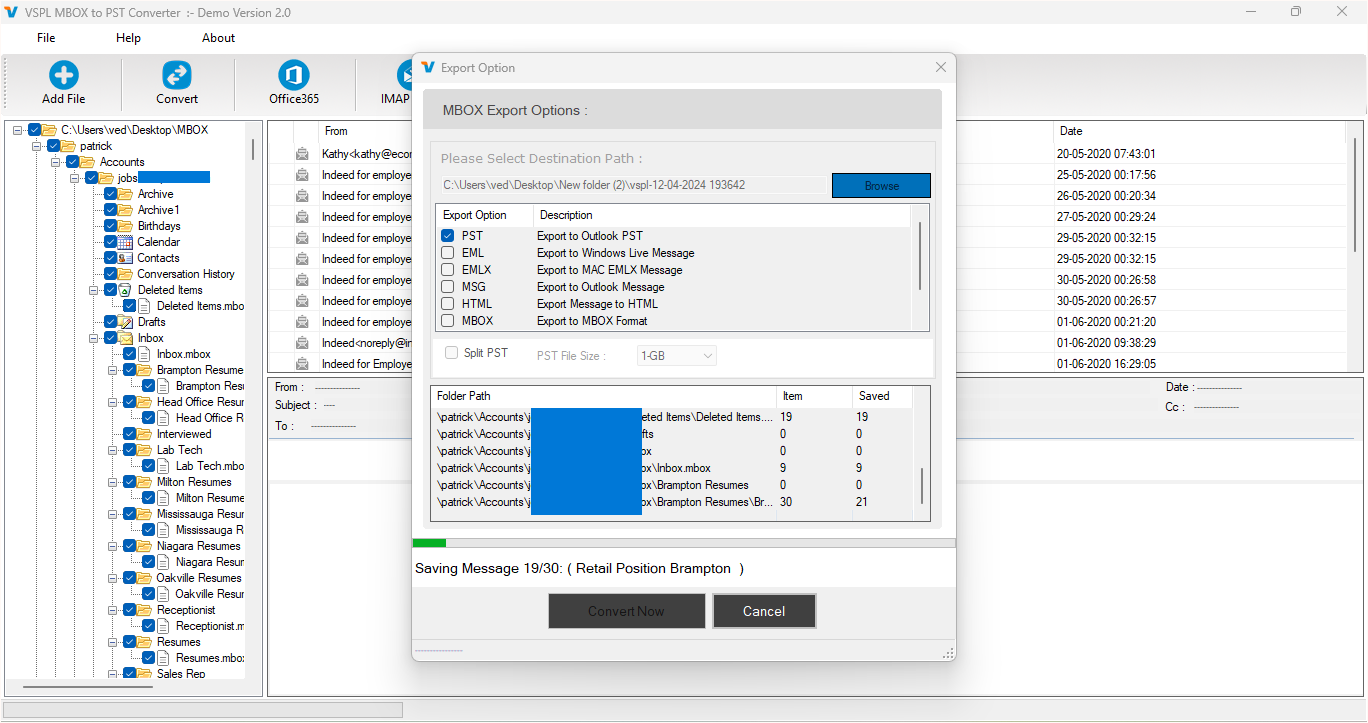
It is necessary to transfer the data of an email from one platform to another because of a change in the email client, the change of the operating system, or the change of the working environment. Microsoft Outlook keeps its data in PST files; on the other hand, there are many desktop email clients that use the MBOX format, such as Thunderbird, Apple Mail, Eudora, etc. Since these two formats are different, it is not possible to simply open or import Outlook PST data in many MBOX-based email clients. Hence, a good VSPL PST to MBOX Converter Software would be helpful for those who wish to transfer their Outlook emails without losing any important information about the mailbox.
There are many reasons for which a user may want to convert his/her PST file to MBOX format. Some may want to switch from Microsoft Outlook to Thunderbird or Apple Mail; some may wish to access their old Outlook emails through an MBOX-compatible application. In businesses, email data conversion from one format to another may be necessary due to the change of the email management platform in organizations. It would be difficult to manually transfer huge volumes of email data, and it would result in missing folders or emails.
Why Convert Outlook PST Emails to MBOX?
Compatibility is one of the most prominent reasons for the conversion of PST files into MBOX. Microsoft Outlook PST files are related mostly to Microsoft Outlook, while MBOX is recognized by several desktop email applications. If the user decides to use another software product for managing emails, the user will need to transform the previous Outlook files in a way that is readable for the new application.
For instance, if a user has been using emails for years with the help of Microsoft Outlook PST files and he/she wants to use a different application, such as Thunderbird, the user would either lose the old data or have to deal with the complex procedure of transferring emails. In case of using the VSPL PST to MBOX Converter, the user can simply convert the PST file into MBOX.
Accessibility is another significant reason for converting Outlook files into MBOX. The emails created in older Outlook can contain business correspondence, attachments, projects, invoices, contacts, and other valuable information.
How Does VSPL PST to MBOX Converter Help?
Conversion of Outlook PST files into MBOX format is quite easy through the VSPL PST to MBOX Converter Software. As per the details available for the product, it can support PST files of Outlook 2021, 2019, 2016, 2013, 2010, 2007, and 2003 versions. The other benefit offered through this software is that it supports both ANSI and Unicode PST file types.
A very important benefit of using this software is that there is no requirement to have MS Outlook installed on the computer to perform the conversion. This feature can prove extremely useful when the user either does not have MS Outlook on his or her system or does not want to make use of MS Outlook for some reason.
Another very good feature of the product is that it supports password-protected PST files as well. Instead of restructuring the mailbox manually, one can use the software to convert the PST file to MBOX format.
Maintain Outlook Folder Structure and Email Information
However, in addition to the email message itself, users also need the mailbox structure and the information about their messages to be preserved. In the case of the VSPL PST to MBOX Converter, there is an opportunity for users to preserve the hierarchy of folders during the conversion process.
This might be convenient when the PST file has folders like Inbox, Sent Items, Drafts, Outbox, and others created by the user. Preserving this structure allows the resulting mailbox to be more understandable and saves time while reorganizing emails after conversion.
Besides, another factor that plays an important role is email data integrity. As it is said on the product website, email metadata, including sent and received dates, information about "To", "Cc," and "Bcc" fields, and many other elements of the email, will be preserved after the conversion.
Preview and Monitor the Conversion Process
Another valuable feature is the previewing feature. Once the PST file has been loaded, users can browse the mailbox and view folders and email messages in the PST file without performing the conversion. In this way, users can know what type of information is present in the source PST file.
The application also offers details about item counts on a folder-wise basis. The current folder, folder count, and emails converted so far can be known during the conversion process. In this way, the entire process of converting PST files will become much clearer to the user.
The single panel interface also contributes to simplifying the entire process of converting the PST files.
Export the Resulting MBOX File to Supported Email Clients
After converting PST to MBOX, the resultant MBOX file is capable of being used with MBOX-compatible desktop email clients. It is explicitly mentioned on the software website that some of the applications that use MBOX files include Thunderbird, Apple Mail, Eudora, Spicebird, SeaMonkey, and Netscape mailbox clients.
Thus, the utility of the conversion process comes in handy for those users who wish to switch their email application but want access to their previous correspondence using Outlook. This enables users to have their PST file accessible and readable in a new email client rather than having it out of reach in a different environment.
The software does not have any PST size limitation on its product page, which means it is ideal for users working with large-sized Outlook mailboxes. The demo version enables users to scan and preview the data, as well as save the first 30 messages from each folder that is selected.
A Practical Solution for Outlook Email Migration
Selecting the best PST to MBOX converter involves more than merely renaming the file. An ideal converter will allow preserving the contents of a mailbox, compatibility with various PST formats, retention of folders' structure, and a quick preview of the source file. Moreover, an MBOX file created by the tool must be ready to import in the corresponding email program.
The VSPL PST to MBOX Converter satisfies all of these criteria by offering PST to MBOX conversion, the ability to work with different Outlook versions, PST files in both ANSI and Unicode encoding, handling of password-protected PST files, maintaining the folder structure, preserving metadata, message preview, and a user-friendly interface.
For people looking to Export Outlook emails from PST files to use them within an MBOX-based application, such an approach can help to save a lot of time that is usually wasted on a manual export procedure. The entire process will include loading the PST file, scanning and previewing it, setting the necessary exporting options, and saving the generated MBOX file.
Conclusion
It becomes essential for the user to migrate Outlook emails from PST to MBOX when there is a need for him to access the data present in the mailbox using an application which supports the MBOX file format. In either case, when the motive of the conversion process is to move away from Outlook to Thunderbird, Apple Mail, or any other application that supports the email file format, this is one feasible method of maintaining the data in the emails.
The software known as the VSPL PST to MBOX Converter Software is one such method to perform this task. This software supports various versions of Outlook, ANSI/Unicode PST files, protected PST files, structure preservation, metadata preservation, preview facility, and MBOX file formats.
Why Do Users Need to Move Outlook Emails from PST to MBOX? Comments





