Search Inside MBOX Files Efficiently Indexing, Filters, and Large File Tips
MBOX files are widely used format for restoring emails messages, especially in open source emails clients Apple Mail, Thunderbird, Eudoraothers. While Convenient for managingsearching within MBOX files
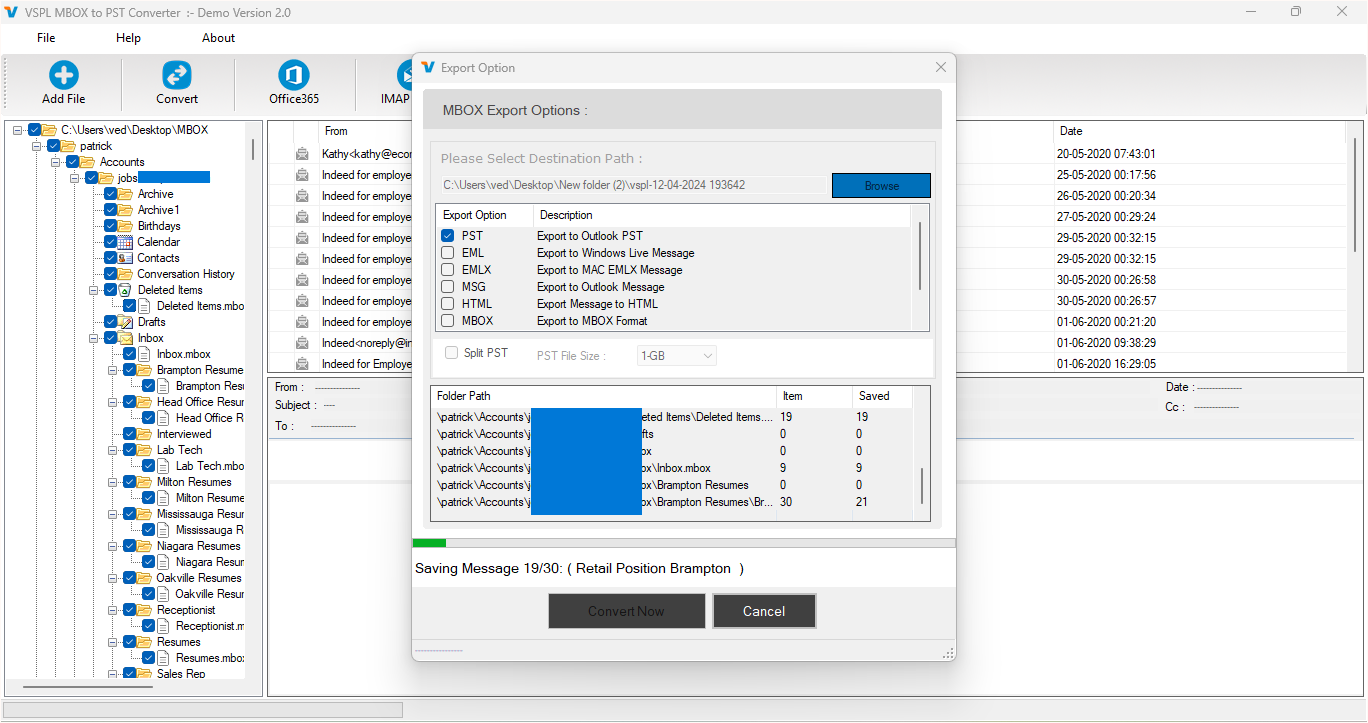
MBOX files are a widely used format for restoring email messages, especially in open source email clients like Apple Mail, Thunderbird, Eudora, and others. While Convenient for managing or searching within MBOX files—especially large ones—it can become cumbersome. This article explores effective strategies to search inside MBOX files efficiently, including tips on managing large files, indexing, and filtering. It also highlights how using professional tools like vMail MBOX Converter Software can streamline your workflow, especially when converting MBOX to Outlook PST format.
Understanding the Challenge of Searching MBOX Files
MBOX files are plain text files that store email messages sequentially. While this format is great for archiving, it lacks a native search or filter mechanism unless you're using it within an email client. Even then, performance can lag when dealing with large MBOX files, often exceeding several gigabytes.
Whether you're an IT administrator, digital forensics expert, or someone trying to retrieve old emails, searching through MBOX files manually is inefficient and time-consuming. That’s where indexing, filters, and dedicated MBOX converter software come in.
Method 1: Use Indexing to Speed Up Search
Indexing is the process of scanning a file and building a searchable database of its contents. This technique drastically improves search speed and accuracy, especially in large MBOX files.
Tools for Indexing MBOX Files:
- Thunderbird with Add-ons: Thunderbird allows limited search capabilities, but with add-ons like MBoxViewer or ImportExportTools NG, you can index messages for faster retrieval.
- Desktop Search Engines: Tools like Windows Search or macOS Spotlight can index MBOX files if they’re mounted correctly, but this is rarely efficient for large files.
- vMail MBOX Converter Software: This tool not only converts MBOX files to various formats, including MBOX to PST, but also allows previewing and indexing of email content, which helps in performing fast keyword searches within files.
Method 2: Use Filters to Narrow Down Results
Once a file is indexed, filters help you drill down to the exact email or data you're looking for. Filters can be based on:
- Sender or Recipient Email
- Date Range
- Subject Line or Keywords
- Attachments or Attachment Type
When you're working with thousands of emails, filtering saves time and improves accuracy.
Why Filters Matter
Suppose you’re auditing communications for legal discovery. Instead of scrolling through every email, filters can isolate messages sent during a specific time frame, containing certain keywords, or involving particular individuals. vMail MBOX Converter Software offers robust filtering features, making it easier to target specific data before converting or exporting.
Method 3: Managing and Searching Large MBOX Files
Handling large MBOX files is tricky. They often slow down email clients, may become corrupted, and are hard to search or migrate. Here are some tips:
a. Split MBOX Files
Split large MBOX files into smaller, manageable chunks using tools or manual methods. This not only makes searching easier but also prevents performance issues.
b. Convert MBOX to PST for Outlook
If you use Microsoft Outlook, converting your MBOX files to PST format can significantly improve search performance. Outlook’s built-in indexing system allows for fast searches, and PST files are natively supported.
This is where tools like the vMail MBOX to PST Converter come in. Unlike free tools that have limitations on file size or number of emails, vMail supports large files, retains metadata, and ensures a clean conversion without data loss.
Why Choose VSPL MBOX Converter Software?
If you're looking for a professional-grade solution to handle MBOX files, vMail MBOX Converter Software stands out for several reasons:
✔️ Multiple Format Support
Convert MBOX files to PST, EML, MSG, HTML, or PDF. Perfect for archival, migration, or legal compliance.
✔️ Batch Conversion
Process multiple MBOX files simultaneously—ideal for corporate or forensic applications.
✔️ Maintain Folder Hierarchy
Preserve the structure and formatting of your emails during the conversion process.
✔️ Built-In Email Preview & Search
View emails before conversion and use advanced filters to search emails directly within the tool.
✔️ Large File Compatibility
Convert and search inside large MBOX files (over 2GB or more) without lags or data corruption.
Whether you’re an individual migrating to Outlook or an organization handling thousands of archived emails, vMail's MBOX to PST converter offers a comprehensive solution.
Can You Use a Free MBOX Converter?
Free tools do exist, but they usually come with trade-offs:
- Limited file size support
- Lack of indexing or preview functionality
- Risk of partial or corrupted conversions
- No technical support or updates
While a free MBOX converter may be suitable for small or non-critical tasks, professional scenarios demand the reliability of paid tools like vMail.
Final Thoughts
Searching within MBOX files doesn't have to be a daunting task. By combining indexing, filters, and the right tools, you can extract exactly the data you need quickly and efficiently. For users looking to convert MBOX to PST or manage email archives better, vMail MBOX Converter Software is a reliable, feature-rich solution.
Whether you need to convert MBOX to Outlook PST, perform advanced email searches, or handle large files without losing data integrity, the right strategy and software will make all the difference.
Search Inside MBOX Files Efficiently Indexing, Filters, and Large File Tips Comments