Cannot Access Outlook OST? Convert It to PST Easily
Many Microsoft Outlook users store their mailbox data in Outlook OST Files. These files are created automatically when Outlook is connected to Exchange Server, Office 365, IMAP Server Accounts
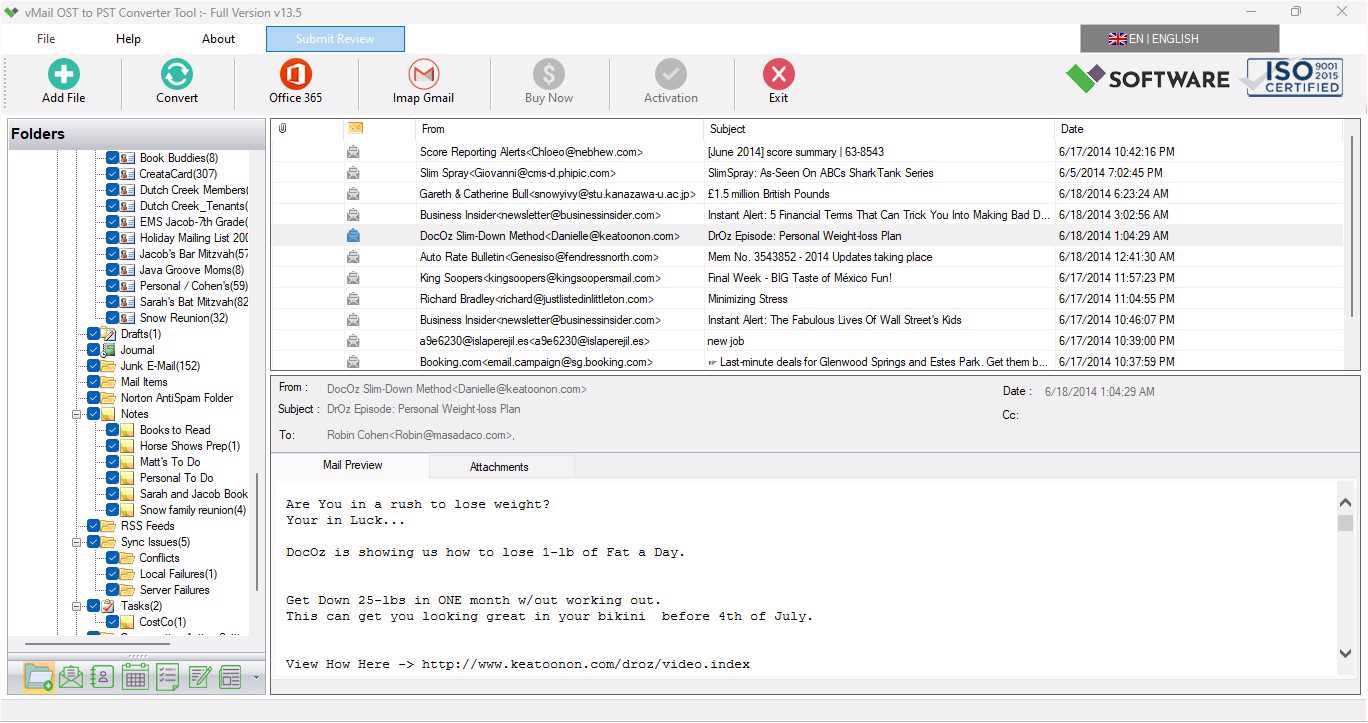
Many Microsoft Outlook users store their mailbox data in Outlook OST Files. These files are created automatically when Outlook is connected to Exchange Server, Office 365, or IMAP Server Accounts. Offline OST Files let users work offline and synchronize data with the mail Server once the internet connection is restored. However, there are circumstances when users cannot access their Outlook OST Files due to profile deletion, corruption, or severe issues. In such cases, migrating the Outlook OST file into PST format becomes the best solution.
If you are facing a problem accessing your Outlook data, using a professional vMail OST to PST Converter Software is the best choice that helps you recover data from OST files and convert Outlook OST Files included emails, contacts, calendars, tasks, notes, inbox items, outbox items, journals and etc. This Blog explains why Outlook OST Files become inaccessible and how you can perform Outlook OST File to PST Conversion effortlessly.
Why Do Users Face Problems Accessing OST Files?
An Offline OST File is linked to a specific Outlook Profile and email accounts. If anything happens to that server connection or profile, the Outlook OST File may become corrupted and inaccessible. Below are some common reasons:
Outlook profile deletion:If the Outlook profile is accidentally deleted, the associated Outlook OST File can no longer be opened.
Exchange Server disaster:When the Microsoft Exchange Server becomes inaccessible, or sometimes it crashes, then users may lose access to their Outlook OST Mailbox.
Corrupted Outlook OST file:Virus attacks, System crashes, or improper shutdowns can corrupt the Outlook OST file.
Mailbox deletion:The Outlook OST File can’t sync and may become inaccessible for users when the Mailbox is deleted from the server.
Large OST files:Very Large Outlook OST Files sometimes cause performance issues or corruption.
In the entire situations, recovering and converting Outlook OST to PST format is the safest way to recover and access mailbox data again.
What Is OST to PST Conversion?
Outlook OST to PST Conversion is the procedure of recovering and converting the Outlook OST File to PST File. PST files are transferable and can be opened directly in Outlook without requiring server connectivity.
Once the Outlook OST File is converted into a PST File, users can easily access contacts, calendars, emails, attachments, task and other mailbox items without depending on IMAP or Exchange Servers.
Manual Methods vs Professional Solutions
There is a limited manual method to recover data from an OST File and convert OST Data to a PST file using the Outlook Export/ Import features. However, these methods only work when the Outlook OST File is accessible and connected to the original Outlook Profile.
If the Outlook profile no longer exists or the OST File is damaged, corrupted, or inaccessible, then the manual methods will not work. In such a condition, using a professional Outlook OST Converter Software is the most effective approach.
vMail OST to PST Converter – A Simple Solution
The vMail OST to PST Converter Software is a powerful tool designed to help users to repair damaged, corrupted OST file, recover Outlook OST file with emails and attachments and Convert Outlook OST File to PST File with emails, contacts, calendars, task, notes, inbox items, outbox items, etc with preserve folders structure, sub-folders structure, emails attachments and emails properties- to, bcc, cc, time, subjects, etc. This Outlook OST Converter Software is suitable for both technical and non- technical users because of its advanced and user-friendly interface.
Key Features of vMail OST to PST Converter Tool
- It helps you recover OST file and Import OST File directly into IMAP accounts, such as Yandex, Yahoo Mail, Gmail, and Rediff Mail.
- It supports recovering the complete mailbox data of the OST File included- emails, contacts, calendars, tasks, notes, inbox items, outbox items and other items.
- It repairs corrupted, damaged or inaccessible Outlook OST files easily.
- Allows you to convert OST File emails and other mailbox items into many other formats, such as MBOX, MSG, PST, EML, vCard, PDF, and HTML.
- It split large PST File into smaller PST files for easy management.
- No risk of data loss during the Outlook OST to PST Conversion.
- Supports conversion data from OST File to Exchange Server, Office 365, IMAP Server, and Gmail/G Suite.
- It doesn’t support any size of OST File for conversion data into PST or other formats.
- Supports OST to Office 365 Migration with MFA authentication using Microsoft Azure App Approval and EWS Full Access.
- Supports MS Outlook versions 2021, 2019, 2016, 2013, 2010, 2007, and earlier versions.
Steps to Convert OST to PST
Using this tool is simple and requires only a few steps:
STEP 1 : Open vMail OST to PST Converter
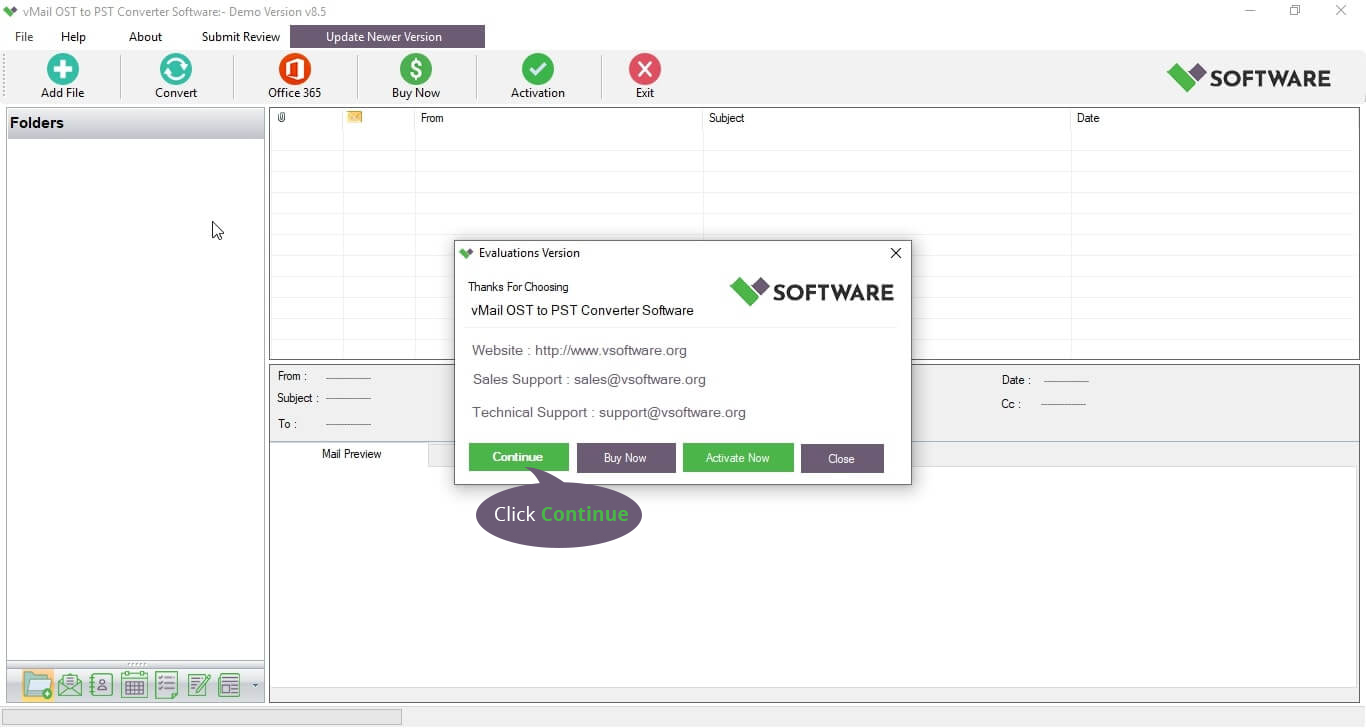
STEP 2 : Browse & Select OST file

STEP 3 : Scanning OST file Data

STEP 4 : Start The Conversion Process
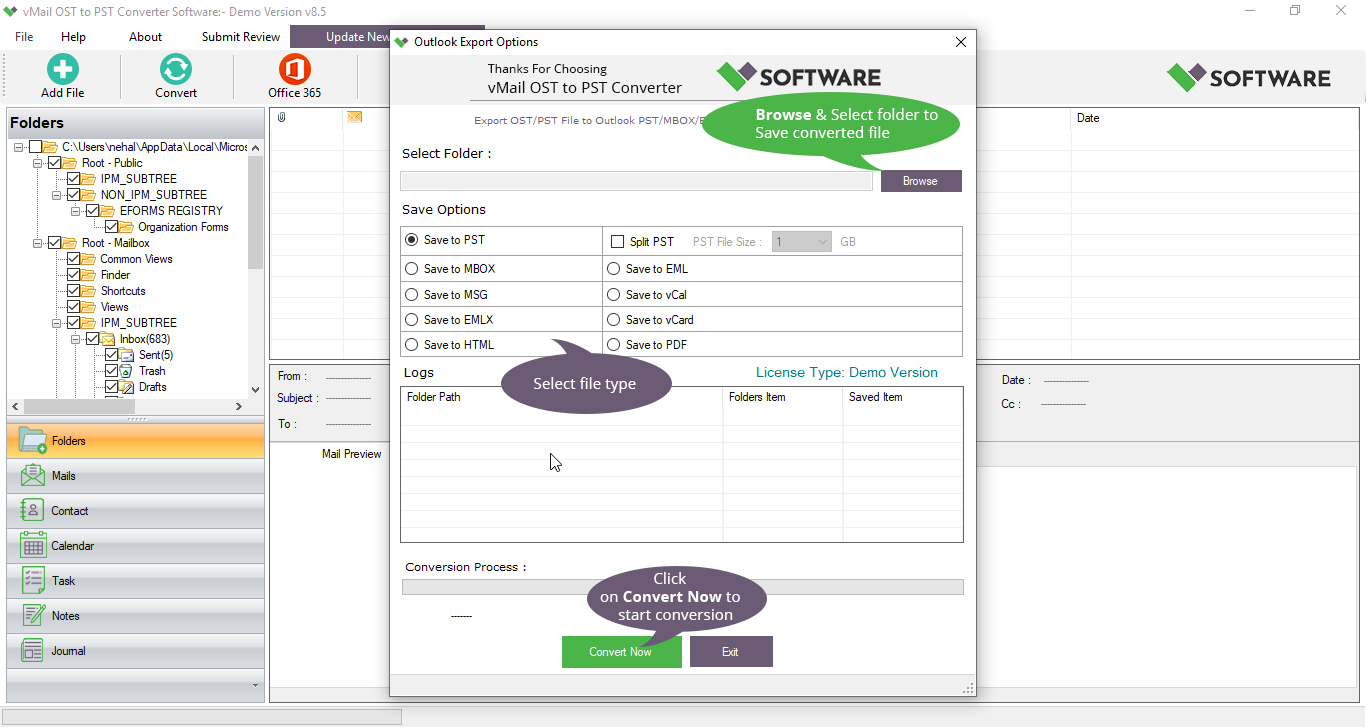
After the conversion is complete, you can import the PST file into Outlook and access all your mailbox data easily.
Conclusion
Outlook OST File lets users access their Outlook data offline, but they may become corrupted or inaccessible due to server issues and corruption. In this situation, repairing the corrupted OST File and converting the OST File to a PST File is the easiest way to recover mailbox data. By using the best tool, vMail OST to PST Converter Software, it becomes possible to convert the data OST file included emails, contacts, calendars, tasks, notes, and other items, without data loss. If you are unable to open your Outlook OST File, a trusted Outlook OST Converter Software can help you regain access to your Outlook data.
Cannot Access Outlook OST? Convert It to PST Easily Comments