Request For Customization :-
if you any need to customize in VSPL Office 365 Duplicate Remover then you can send mail to our support team. support@vartikasoftware.com
 (Average Rating 4.7 Based on 128 Reviews)
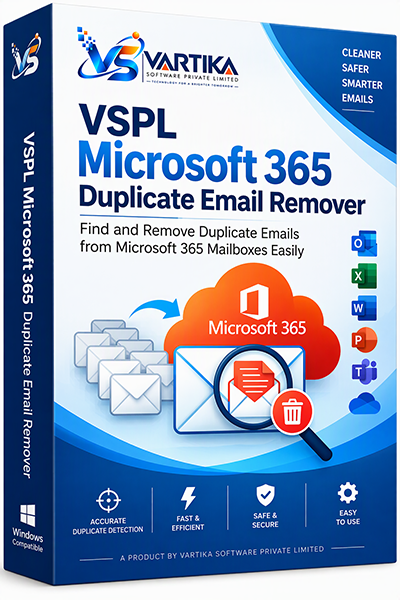
VSPL Microsoft 365 Duplicate Email Remover is a powerful and reliable solution designed to find and remove duplicate emails from Microsoft 365 mailboxes. Whether duplicates are caused by mailbox migrations, synchronization issues, imports, backups, or multiple Outlook configurations, this software helps keep your Microsoft 365 environment clean, organized, and efficient. The software scans mailbox folders, identifies duplicate messages using advanced matching criteria, and removes unwanted copies while preserving original emails.
Duplicate emails can increase mailbox size, slow down Outlook performance, consume storage space, and make email management difficult. VSPL Microsoft 365 Duplicate Email Remover helps organizations and individuals maintain clean and optimized mailboxes.
Keep your Microsoft 365 mailboxes clean, organized, and free from duplicate emails with a fast, secure, and professional duplicate removal solution
Quickly identify duplicate emails from Microsoft 365 mailboxes with high accuracy and precision
Scan and clean duplicates from:
The software ensures secure mailbox operations while maintaining folder structure and email integrity.
Clean duplicate emails from large Microsoft 365 mailboxes efficiently and reduce mailbox clutter.
Review identified duplicate emails before performing the removal operation.
Detect duplicate emails based on:
Supports modern Microsoft 365 authentication methods for secure mailbox access and processing.
Simple step-by-step workflow designed for both technical and non-technical users.
Launch VSPL Microsoft 365 Duplicate Email Remover.
Sign in using your Microsoft 365 account credentials.
Select mailbox folders and start the scanning process.
The software analyzes mailbox data and locates duplicate emails.
Review the results and remove duplicate email copies safely.
Receive a completion summary showing successfully processed duplicate emails.
Maintain clean mailboxes across organizations and reduce storage usage.
Simplify mailbox management and improve overall mailbox performance.
Keep inboxes organized and productive.
Manage and optimize client Microsoft 365 environments.
Remove duplicates created during Microsoft 365 migration projects.
Clean personal Microsoft 365 and Outlook mailboxes effortlessly.
if you any need to customize in VSPL Office 365 Duplicate Remover then you can send mail to our support team. support@vartikasoftware.com
| Product Features | Free Version | Full Version |
|---|---|---|
| File Preview / Folder Preview/ Message Preview | ||
| Saved Items | First 30 Emails(Each selected folder) | All Message Items |
| Available 24x7 Technical Support | ||
| License Price | Free | $39 USD |
| Free Download | Buy Now |
The software supports:
The software compares emails using multiple criteria, including:
Duplicate emails can occur due to:
Yes. You can choose specific Microsoft 365 mailbox folders such as:
Yes. VSPL Microsoft 365 Duplicate Email Remover supports Microsoft Exchange Online and Microsoft 365-hosted mailboxes
Yes. Removing duplicate emails can help:
The software is ideal for:
Key benefits include:
✅ Fast Duplicate Detection
✅ Accurate Results
✅ Secure Processing
✅ Easy-to-Use Interface
✅ Reduced Mailbox Size
✅ Better Email Organization
✅ Improved Outlook Performance
✅ Support for Large Mailboxes
Simply:
After migrating several Microsoft 365 mailboxes, we discovered thousands of duplicate emails. VSPL Microsoft 365 Duplicate Email Remover helped us clean everything quicklyaccurately. Highly recommended for migration projects.
Michael R., Microsoft 365 AdministratorThe software connected to our Microsoft 365 accounts without any issuesfound duplicate emails within minutes. The interface is simple,the results were extremely accurate
Sarah T., Business UserWe manage large Exchange Online mailboxes with years of email data. This tool efficiently scannedremoved duplicate messages while preserving original emails.
David P., IT ManagerDuplicate emails were consuming valuable storage in our Office 365 environment. After using this software, we recovered a substantial amount of mailbox spaceimproved mailbox performance
Jennifer M., Operations DirectorThe advanced matching options helped us identify duplicates based on subject, sender,message ID. The detection accuracy exceeded our expectations
Robert H., Exchange AdministratorAfter a tenant migration, we ended up with duplicate email messages across multiple folders. VSPL made the cleanup process smoothhassle-free
Kevin D., Migration ConsultantSecurity was a major concern for our organization. The software processed our Microsoft 365 mailboxes safely,we were able to review duplicates before deletion
Emma S., Compliance OfficerManaging mailbox maintenance manually is time-consuming. This software automated the processreduced our IT departments workload.
Chris W., System AdministratorOur users reported better Outlook synchronizationfaster mailbox performance after removing duplicate emails. A valuable tool for Microsoft 365 environments.
Andrew C., Network AdministratorIf your organization uses Microsoft 365, this software is a must-have. It delivers accurate results, saves storage,simplifies email management
Lisa M., Technology Manager