Step 1: Open the Software
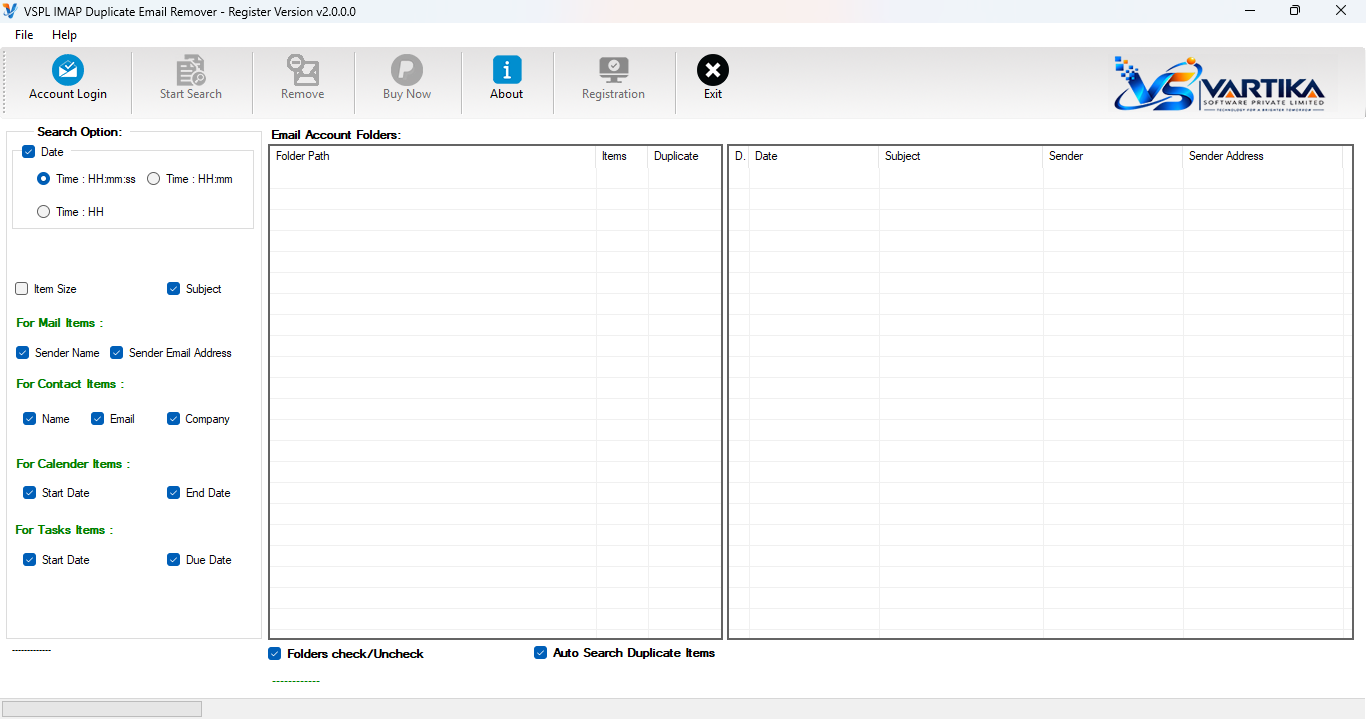
Launch VSPL IMAP Duplicate Email Remover on your computer and start the duplicate email cleanup process.
Step 2 : Login to Your IMAP Account
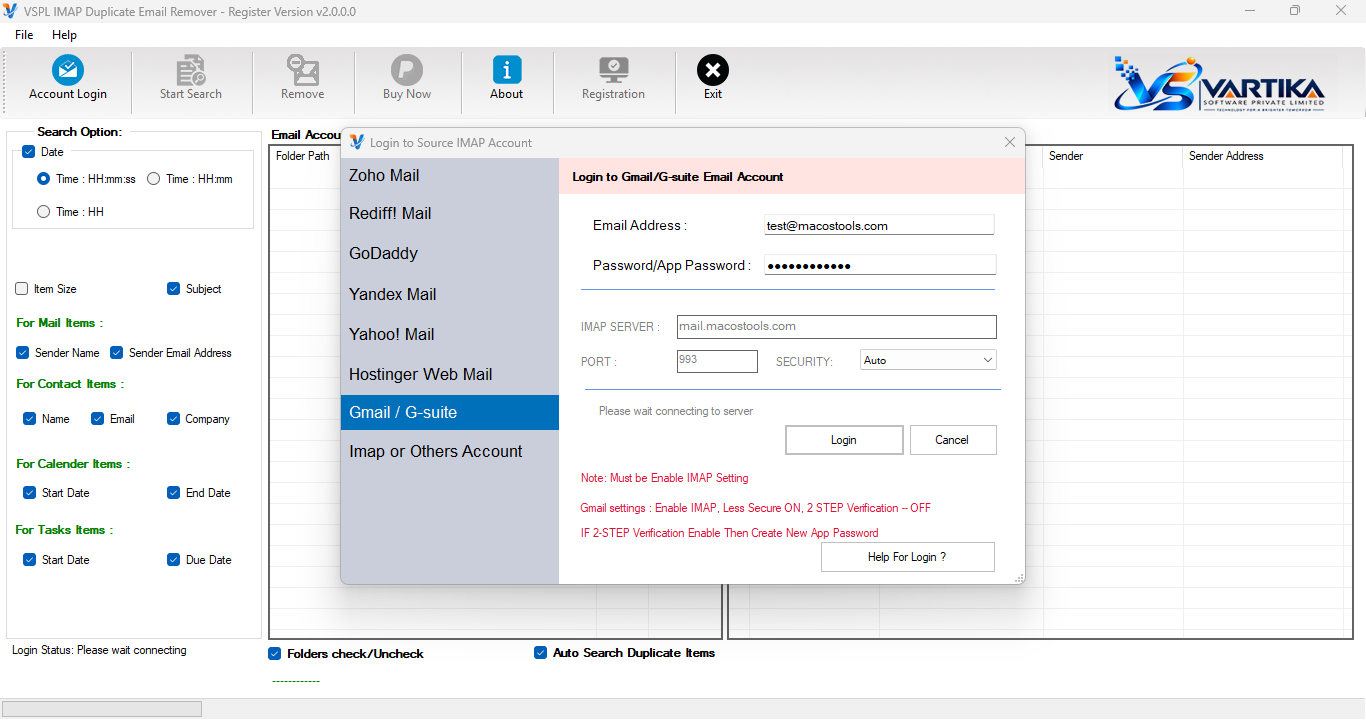
Enter your IMAP email account credentials and connect securely to your mailbox.
Step 3 : Scan Mailbox
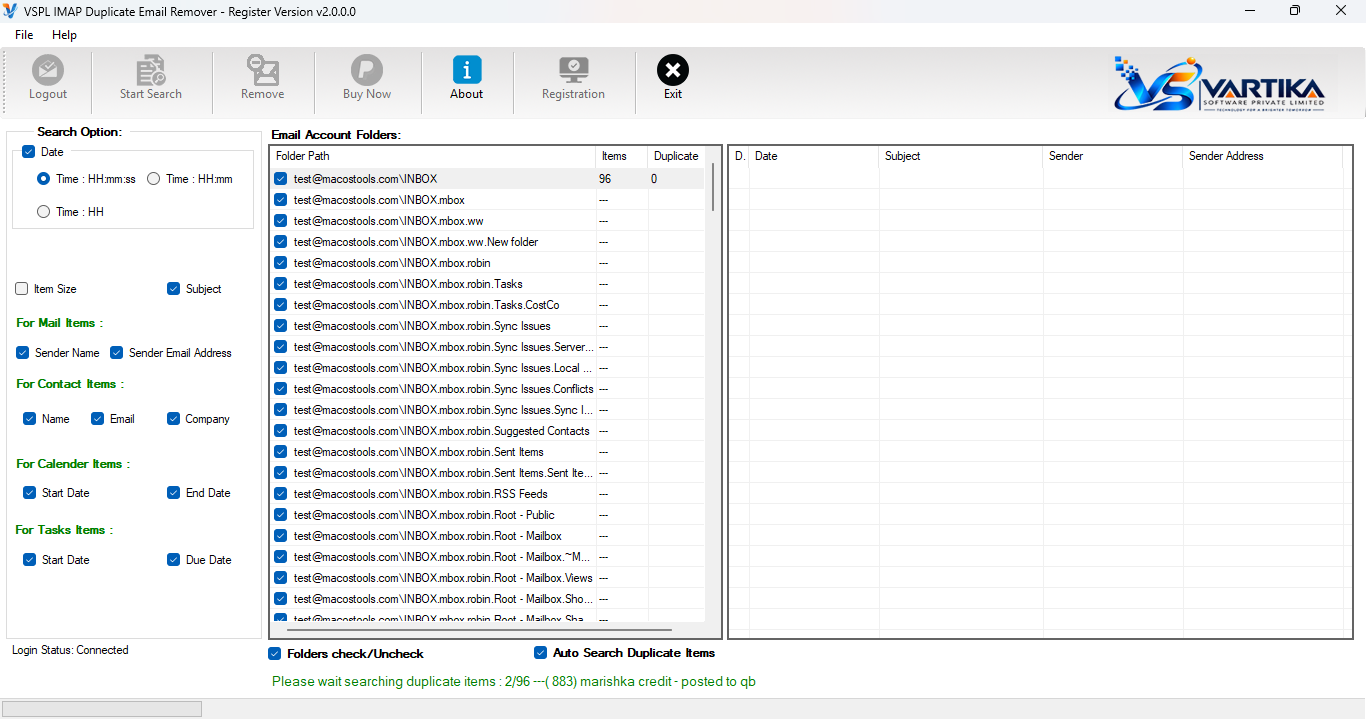
Select the desired email folders and scan the mailbox to retrieve email information for analysis
Step 4 : Search Duplicate Items
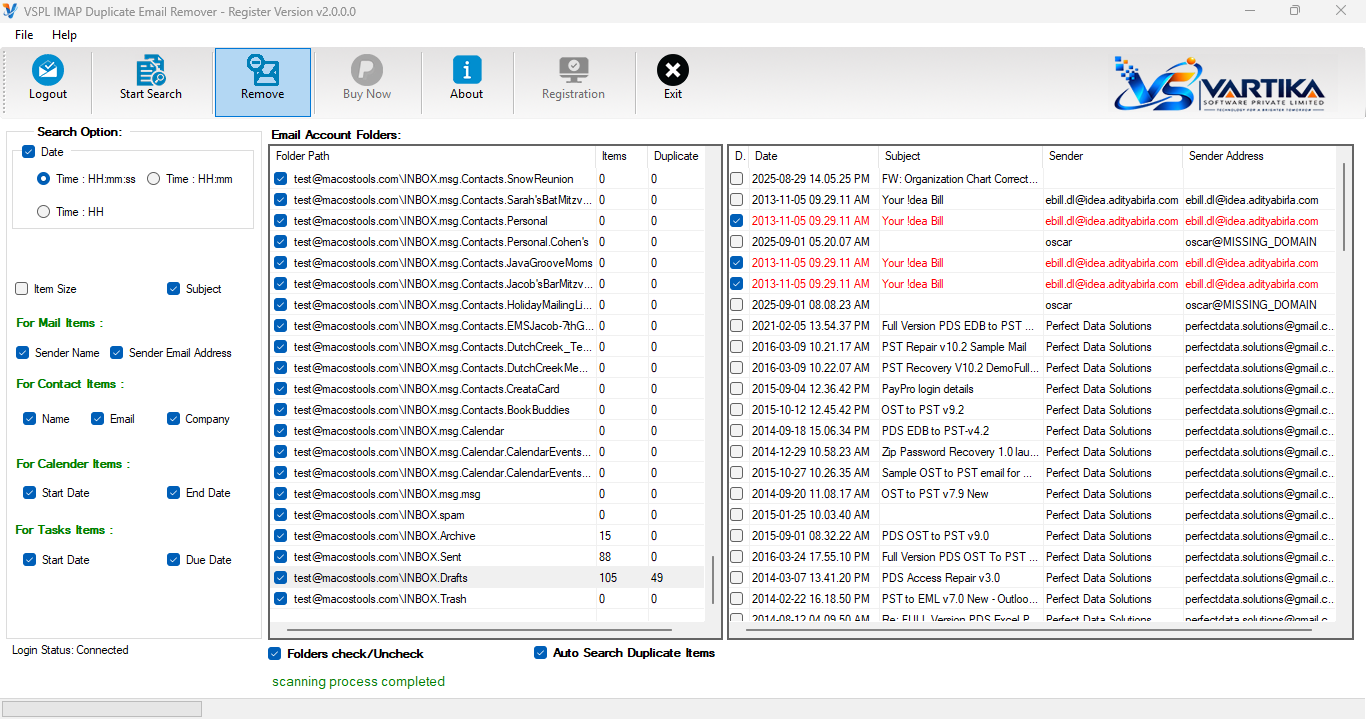
The software automatically analyzes emails and identifies duplicate messages based on selected matching criteria.
Step 5 : Start Removing Duplicate Items
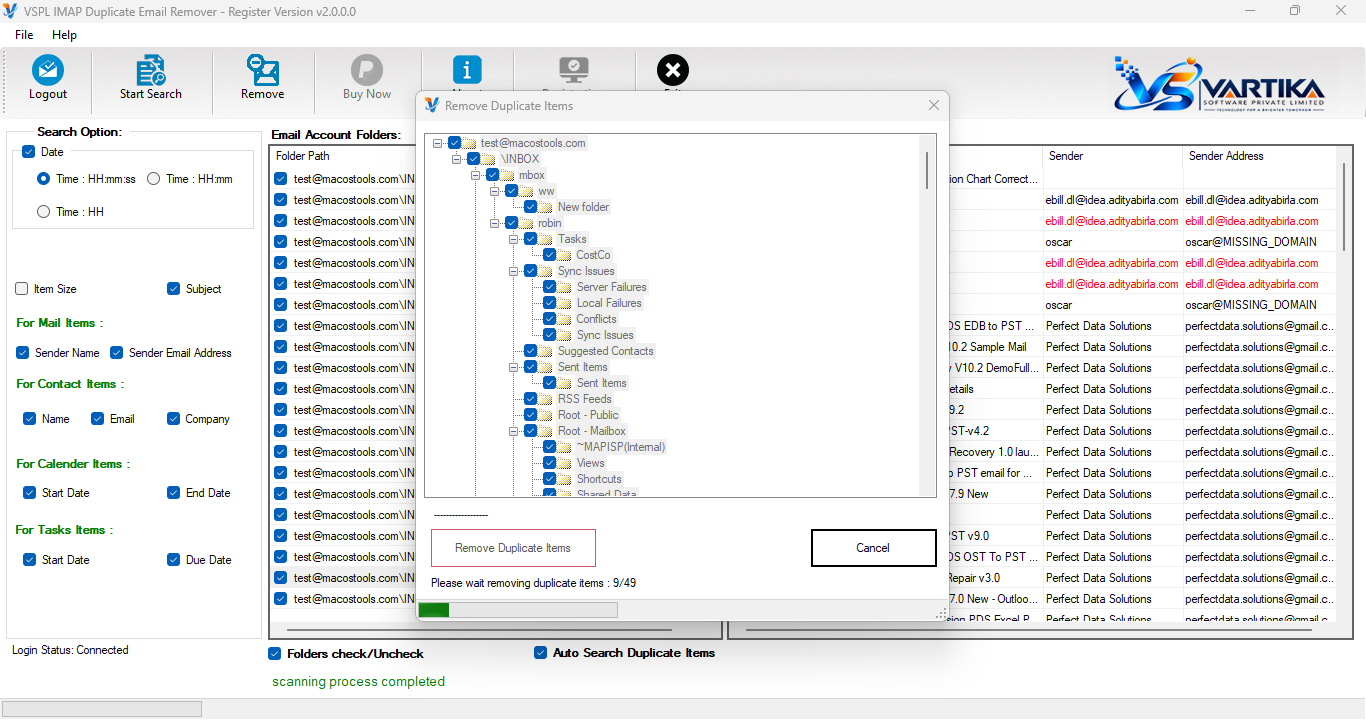
Preview the detected duplicates and initiate the removal process. The software safely removes duplicate copies while preserving original emails
Step 6 : Complete Removal Process
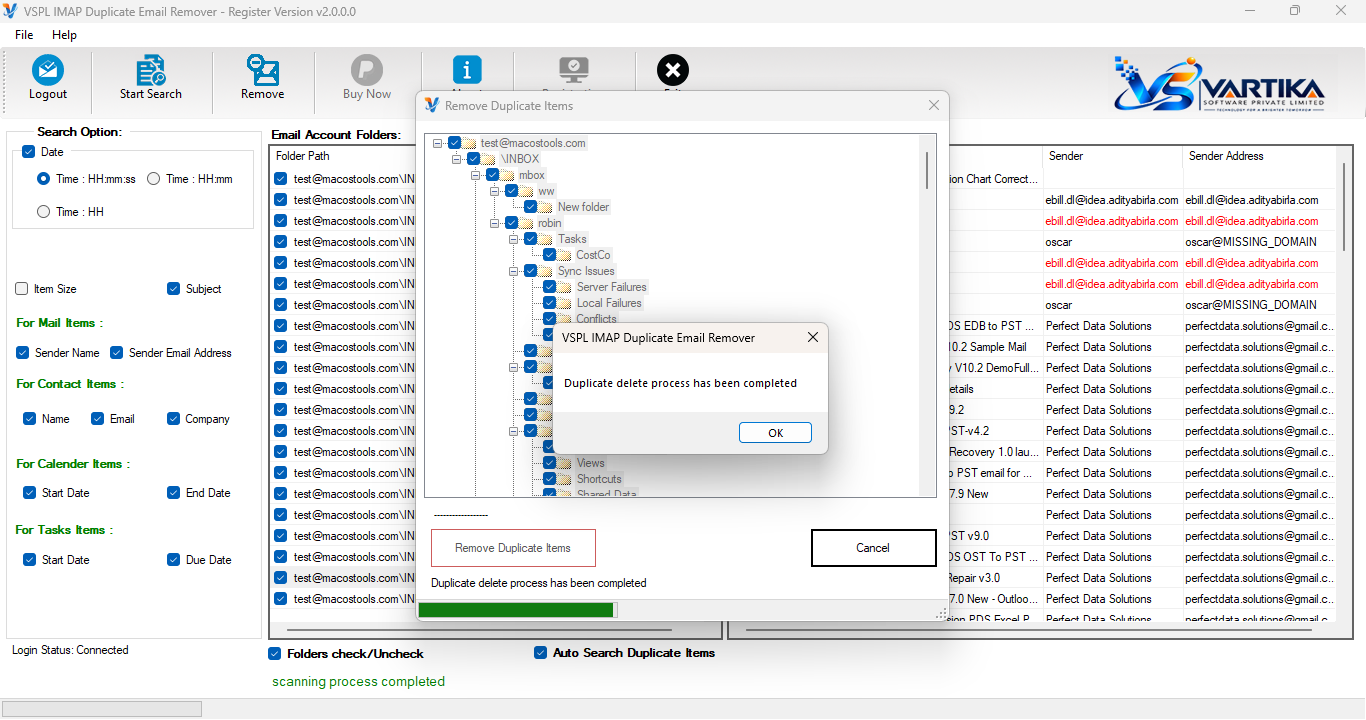
Once the process is complete, a summary report is displayed showing the number of duplicate emails removed and the mailbox cleanup status.